 Skin Retouch
 Smile Editor
 Tattoo Editor
 Teeth Editor
Preview a more defined or softer jawline
Adjust lower-face contour while preserving identity, expression and natural proportions. Tool67 aims for a balanced result that fits the existing face instead of applying the same shape to every person.
AI jawline editing · subtle contour control · preserve identity
Preview a softer or more defined jawline while keeping the person recognizable and avoiding unrelated changes to the face or body.
Original size: — · Output size: —
Choose a quick idea or describe the edit naturally. Choose an option or describe the edit. Model and output settings are below.
By uploading, you confirm you own the rights to this image, accept full responsibility for its use, and agree to our Terms of Service and Privacy Policy.
Adjust lower-face contour while preserving identity, expression and natural proportions. Tool67 aims for a balanced result that fits the existing face instead of applying the same shape to every person.
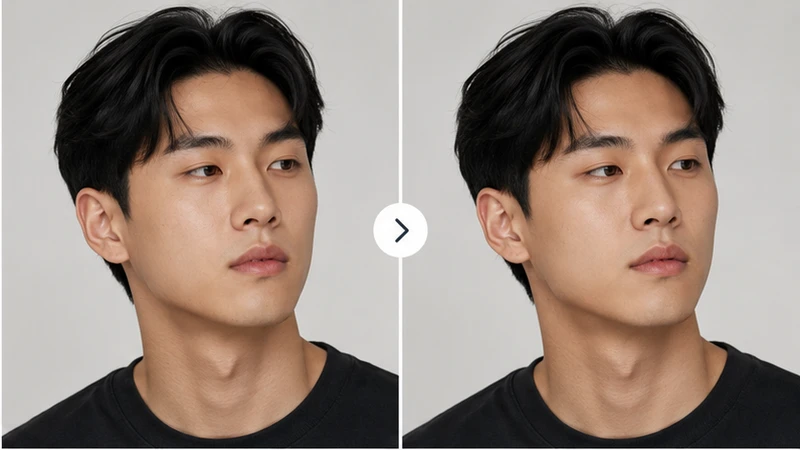
Use the preview for grooming, makeup, photography or aesthetic consultation discussions. Seeing the change on the actual portrait provides a clearer reference than relying on generic examples.

Members can compare small adjustments rather than jumping to an extreme result. This makes it easier to choose a version that still feels authentic and suitable for professional or personal use.

The workflow considers shadows, neck transitions and facial structure so the edit blends naturally. That helps the portrait look refined instead of obviously warped or over-retouched.
Tool67 AI Jawline Editor refines the visible lower-face contour for a subtle portrait preview while preserving the rest of the identity.
Use a sharp portrait with the jaw, chin and neck unobstructed. Front and three-quarter angles are easier to evaluate than extreme profiles.
This is a cosmetic image edit, not a medical simulation or treatment prediction. Strong changes may look unnatural or alter identity.
Use Jawline Editor for focused lower-face contour; use Face Edit for broader feature changes. Open Face Edit.
Membership allows small-step comparisons, helping users choose a restrained result instead of overediting a single image.
Use additional generations to test meaningful variations, keep the strongest result and continue working across more images.
View credits and membershipTool67 AI Jawline Editor creates controlled changes to jaw definition, chin proportion and lower-face contour while preserving identity and all upper-face features.
The prompt preserves the eyes, nose, lips, ethnicity, expression, hairstyle and overall face width. It edits only the lower-face contour.
Yes. Choose More defined and start with Light or Balanced strength.
No. Upper-face features are explicitly protected.
Yes, but only by a small amount to preserve identity and proportion.
No. It is a creative photo-editing simulation.