AI PRODUCT AD VIDEO
AI Product Ad Video
Turn a Product Photo into a Ready-to-Share Video Ad
Create flash-sale promos, premium retail ads, seasonal launches and marketplace hero videos from one product image. Build, preview and download your video without leaving the page.
- Designed for ecommerce, paid social and seasonal campaign creative
- Preserves the product while adding motion, promo text and campaign mood
- Works well for beauty, fashion, accessories, tech and retail launches
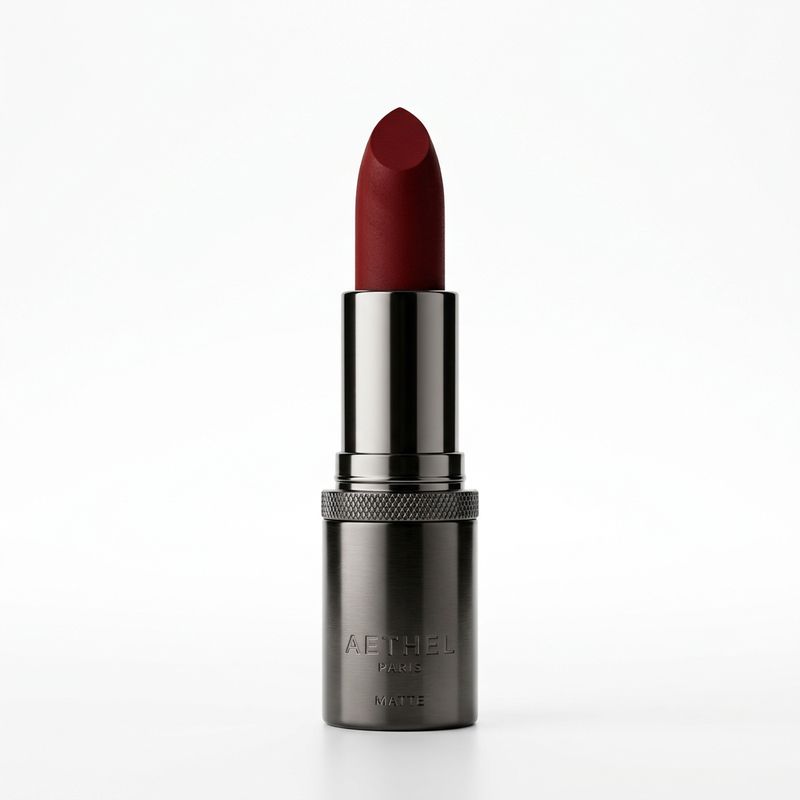
WORKSPACE
Build a polished product ad in one workflow.
Loading model information…
RESULT
Your generated video
QUICK DIRECTIONS
Start from a proven campaign style.
EXAMPLES
Static product photos turned into ad-ready motion creative.
Hover to preview each video. Click a card to use the campaign direction in the workspace.
USE CASES
Deploy product ad videos across your highest-value channels.
WHAT THIS TOOL DOES
Product Ad Video turns product photos into AI-generated advertising videos.
Tool67 combines your uploaded product image, a selected AI video model, a video duration, an output size and a campaign style to produce a short promotional video. It is designed for flash-sale ads, product launches, collection campaigns, luxury reveals, paid-social creatives and ecommerce hero content.
FAQ
Common questions
What kind of image works best for Product Ad Video?
Clear product photos with a visible item, clean lighting and minimal obstruction work best. The tool is especially useful for beauty, fashion, accessories, home goods and electronics.
Can I upload more than one product image?
Yes. The selected model determines the image-reference limit. Use the hero product shot first and add extra references only when they reinforce alternate angles or details.
What does the Campaign control do?
Campaign changes the ad direction, such as Flash Sale, Luxury, Collection or Social Commerce. It helps shape the overall promotional mood and design language of the generated video.
How are credits calculated?
The page calculates the current cost dynamically based on the selected model and duration. If you are signed in, your remaining credits appear next to the generation cost.
Will my product stay accurate?
The default prompt is designed to preserve your product identity, packaging, shape, logo and materials. Clear source images generally produce the most consistent results.
Where does the result appear?
The result area stays hidden until you start generation. Once you click Generate Video, the result panel opens below the controls and shows the progress overlay until your video is ready.
Can I use this for marketplace listings and ads?
Yes. Product Ad Video is suited for marketplace hero sections, landing pages, paid-social ads, email campaigns, seasonal sale graphics and short-form ecommerce promotion.
How do I download the finished video?
After generation finishes, a download arrow appears at the bottom-right of the result panel. Click it to save the final MP4.