AI Clothes Changer for Reference-Based Virtual Try-On
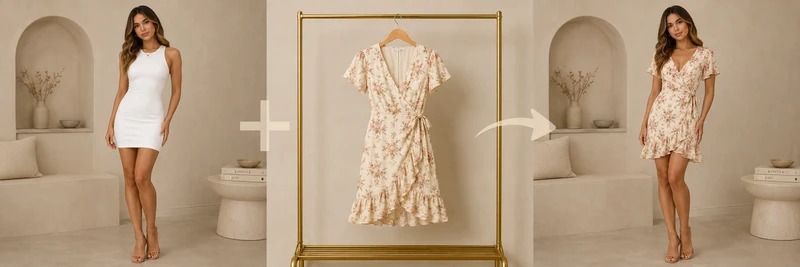
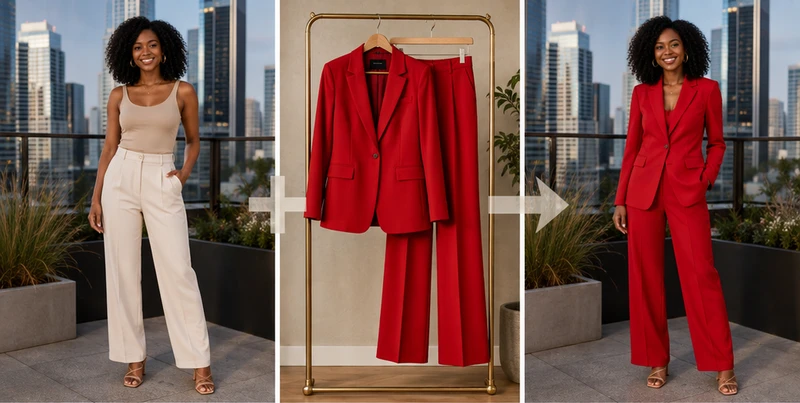
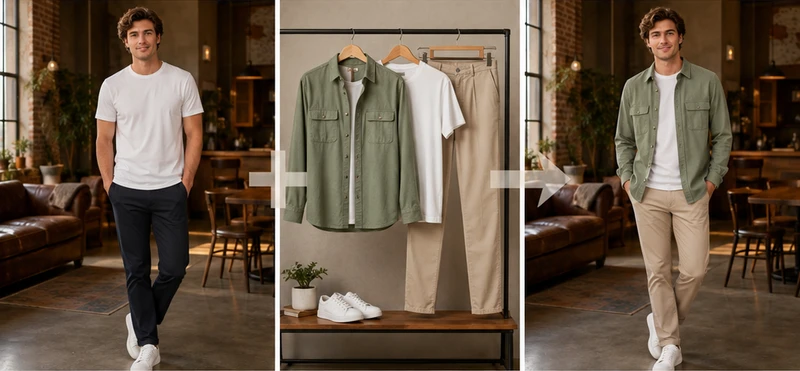
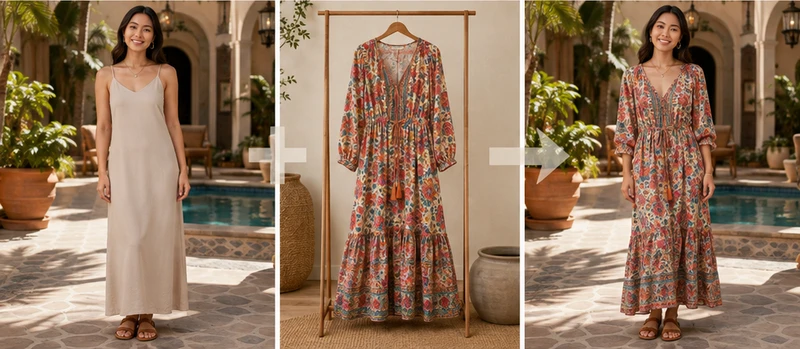
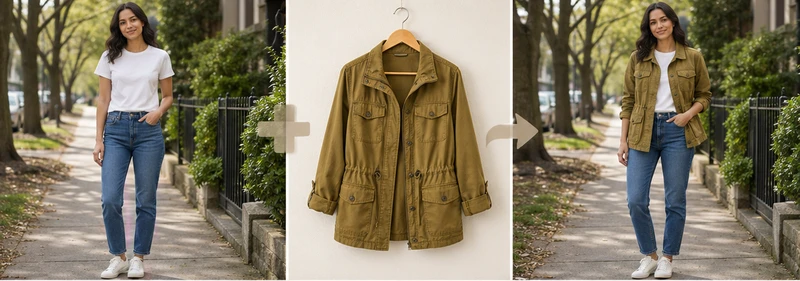
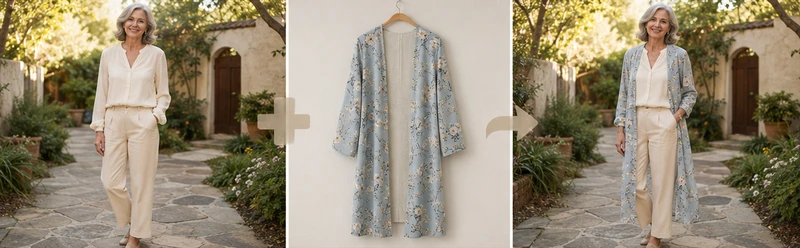
Tool67 uses two images: a target model photo and a clothing reference. The goal is to transfer the garment while preserving the target person’s identity, pose, framing, background and natural photographic appearance. This reference-based workflow is useful for fashion previews, ecommerce concepts, wardrobe planning, marketing mockups and personal styling experiments.
Use a clear clothing photo
Choose a well-lit clothing image that clearly shows the garment shape, neckline, sleeves, length, fabric and important details. The clothing may be photographed alone, displayed on a mannequin or worn by another model.
Use a complete model photo
Keep the target person clearly visible, especially the body area where the new outfit should appear. Clear focus, natural lighting and an unobstructed body usually produce a more realistic clothing fit.
Match the camera viewpoint
Similar front, side or full-body viewpoints generally produce better results. The tool aims to retain the model’s identity, hairstyle, pose, body shape, camera angle, crop, environment, background, white balance and natural photographic look.
What can this AI clothes changer do?
Use it for dresses, shirts, jackets, coats, sweaters, skirts, uniforms, swimwear and other fashion styling. The system uses the second image as a clothing reference and is instructed not to copy the reference model’s face, body, pose or background.
Common uses for reference outfit transfer
People use a two-photo clothes changer to preview dresses, shirts, jackets, coats, suits, uniforms and coordinated outfits on an existing model photo. Fashion sellers can create early visual concepts, creators can test styling directions, and individuals can compare clothing ideas before purchasing. Results remain AI-generated previews and should be reviewed carefully before product, fit or purchasing decisions.
What to review before using the result
Check garment edges, sleeve length, logos, fasteners, hands, waistlines, hems, fabric patterns and any text on the clothing. AI outfit transfer can create realistic visual concepts, but it does not guarantee exact physical fit, sizing, tailoring or material behavior.
What images do I need to change clothes?
Upload one clear model photo and one clear clothing reference. The clothing can be photographed alone, on a mannequin or worn by another model.
Will the model and background stay the same?
The tool is designed to preserve the original model, pose, framing, camera angle, background and scene lighting while replacing only the clothing.
Can the clothing photo include another model?
Yes. The system uses the outfit as the clothing reference and is instructed not to copy the other model, face, pose or background.
How do I get the most realistic result?
Use clear, well-lit images, keep the target model fully visible and choose clothing and model photos with similar viewpoints.