★★★★★
"Needed professional author headshots for my book launch, and this pack delivered polished, literary looks. Used one for my Amazon profile, got compliments right away. Game changer."
David KimGet professional author headshots that convey creativity, intellect, and professionalism. Photo AI helps you create studio-grade headshots that are perfect for your book covers, website, or professional profiles. With perfect lighting, a neutral background, and a focus on your thoughtful demeanor, you'll get high-quality images that reflect the creativity and expertise you provide. First you create an AI model of yourself, and then you can generate endless AI photos that look just like you. Save time and money and do an AI photo shoot from your laptop or phone instead of hiring an expensive photographer. See more in different poses, places and styles.
"Needed professional author headshots for my book launch, and this pack delivered polished, literary looks. Used one for my Amazon profile, got compliments right away. Game changer."
David Kim"The Author Headshots pack gave me serious writer vibes with bookish backgrounds. Great for my blog, though I wished for more casual options. Solid results overall."
Fatima Ali"Generated headshots for my self-published novel. They look like they came from a top photographer, perfect for promo materials. Boosted my author cred instantly."
Carlos Mendoza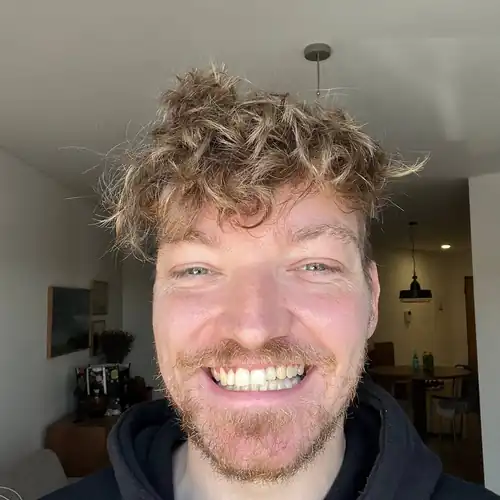

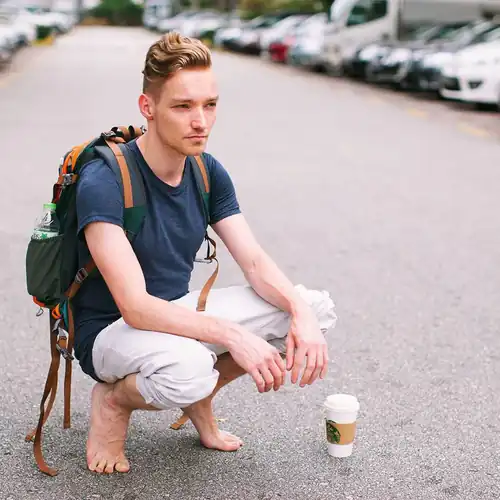
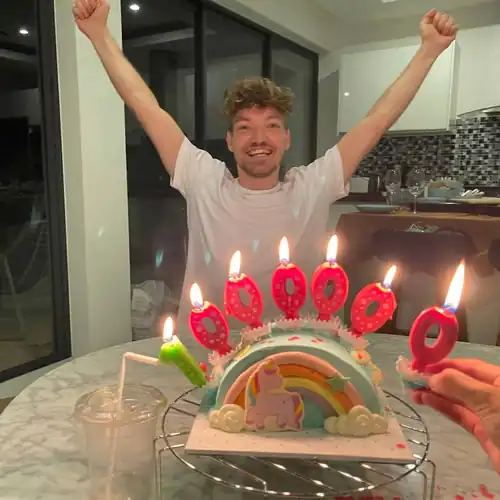
 AI generated

 AI generated
"Tool67 is just fantastic! I take amazing photos of my wife, family and friends. As a photographer I use it to test ideas before creating a real photoshoot. I strongly recommend!"
"Cool AI tool for image generation! I could create a lot of truly amazing pictures in different locations with different outfits! All my friends were surprised and loved my pictures!"
"Good input = good output. Very fun! Took me some effort to get the models to feel accurate but once I got the right input it was amazing. Tool67 was very responsive to my questions."
Create lifelike and realistic photos of yourself (or an influencer you work for) by creating your own AI model. Upload a set of just 5 to 15 photos in a diverse range of places, settings, and times. Press ✚ Create new AI model and it starts training your model. By inputting these images into your model, you're teaching it to recognize and replicate it. You only need to create your AI model once which takes about 5 minutes. Tool67 use the highest quality training with the highest possible steps which takes more GPU cycles (and thus time and cost). After your AI model is done, you can take infinite photos with it fast!
With Tool67, you can either turn yourself into an AI model (like above) or design and create your own synthetic AI influencer from scratch! Creating an AI influencer means building a completely synthetic persona that doesn't exist in real life.
You design them from scratch: select where they're from, their body type, hair style, eye color, and other attributes. Once created, you can take photos, generate videos, and even make them talk.
AI influencers are a new development but they already make money and it doesn’t look like they'll stop to grow as a new industry soon: Lil Miquela makes $10 million per year, Noonoouri makes $500,000 per year, Aitana Lopez makes $10,000 per month, and Shudu makes $2,000 per sponsored post.
Design any scene you wish, from commonplace to rare, stunning instances. Imagine the ability to create a photograph of a sunlit Parisian cafe in the 1920s, or a moonlit beach in Bali with just the right clothes, all from the comfort of your living room. Simply write your desired scene, press 📸 Take photo and watch as the model generates a highly realistic photo that aligns with your vision in just ~20 seconds.
Take any AI photo you generated, and turn it into a video by tapping 🎥 Make video A few minutes later you have a short video clip of the photo giving you an immersive virtual reality like experience. You can even add a talking script to make your AI model talk! The video on the side here is 100% AI and created with Tool67. Next features we'll add is boomerang videos, background audio and music and longer 10-30 second clips.
With Mocap, you can create dynamic videos by combining any motion video with your AI-generated photos. Upload a video with movement (like dancing, walking, gesturing, or talking), then add a photo of your AI model or influencer. The AI will transfer the motion from the video onto your photo, creating a realistic video of your AI character performing those exact movements. Perfect for AI influencers, virtual avatars, or bringing your AI photos to life with real human motion.
Take any outfit you like (like from Shein or Zara), save it or take a screenshot and paste it into Tool67, press 👗 Try On Clothes and it will dress your model with it. The new version of our try on model is better than ever and now even works with patterns and prints.
Do entire photo shoots from your computer without having to fly around models and entire crews of photographers, light people, directors and producers half way around the world for a shoot. Just prompt the shoot design yourself, select your model and upload a piece of clothing!
Perfect for Shopify store owners who want unique photos of models trying out their products.
Find answers about creating AI photos, managing your account, subscriptions, models, downloads and common workflows.
Want to merge two photos into a single AI-generated image? Tool67 makes it effortless — no editing or Photoshop skills needed:
Sometimes your AI-generated photos look great… except for one annoying object in the background — maybe a table, a person, or something random that ruins the vibe. With Tool67, removing those is easy.
We recommend uploading photos with high variety, a mix of close-up selfies and full body shots in a variety of places, angles, clothes and expressions. Do not upload photos with low variety, group photos, other people, sunglasses, hats, photos where your face is cut off or not visible.If you’re creating an AI influencer from scratch, you don’t need to upload any photos though. You just design a new persona based on how you want them to look!
You can update your invoice details directly from your account:– Log in to Tool67– Click the Tool67 logo (top left navigation)– Go to Billing– You’ll be redirected to the Stripe Customer Portal– Under Billing Information, click Update information and update your name, address, and Tax ID– Save your changes — future invoices will use the updated detailsNotes:– Changes apply to future invoices only (past invoices can’t be edited due to regulation)– Make sure your Tax ID format matches your country’s requirements– If you don’t see the option, ensure you’re logged into the correct accountP.S. Hab noch einen schönen Tag noch! Ich weiß, du bist Deutscher oder Österreicher. :D
You can cancel your subscription at any time. Go to the top of Tool67 when you are logged in, tap the logo in the top left, and in the dropdown tap “Billing”, then tap “Cancel subscription”.
If you are not logged in, first login: go to the top of Tool67's frontpage, then login by Google, or enter your email in the email box, click the button to continue. Follow the link in the email you got, tap the logo in the top left, and in the dropdown tap “Billing”, then tap “Cancel subscription”.
If you can not login, no worry: click “Billing” on the top of Tool67's frontpage and enter the email you signed up with on Stripe's billing portal. Stripe will send you an email to login and then you can download invoices, switch plans and cancel your subscription there.
If you signed up on the Tool67 iOS app, you can manage your subscriptions with Apple.
In 100% of cases when this happens, you’ve signed up with a different email addresses than you think.To resolve this:First find the right account email address by searching your email inbox for emails from Stripe with subject “Your receipt from Tool67” and see what email they are sent to.Then go to Tool67 and log in with that email address and you can login! If you’d then like to cancel your subscription, click the logo and click Billing in the dropdown.Or if that doesn’t work go Tool67/billing and log in with that email address. This is NOT the regular Tool67 login, this is specifically the login to the Stripe Customer Portal where you can self-manage your subscriptions.Once inside there you’ll see your active subscriptions and can cancel them!
Very fast. Right now it’s about 15 seconds! And you can take many photos in parallel especially on the higher plans.
After every payment you get a receipt and invoice emailed to you by Stripe.
You can actually create pretty good AI photos of you and your gf/bf together now with Tool67.Make sure you follow these steps to get the best results:In Tool67, go to [ Create new AI model ], then under [ Type ] select Couple, so you create a model of both of you.⚠️ Then when uploading photos, make sure EVERY PHOTO has both of you in it, so the AI learns both of you! Just uploading separate photos of both you and the other person will NOT work because it'll think you're training a MIX of both of you. You’ll get a person that looks like both of you instead of couple photos.You want it to understand you're training BOTH of you in ONE photo as a couple photo! So only include those photos where both of you are in it. Even better if you’re both in same position (left or right) but I’ve tried without and it worked too.When it's done training, under Packs -> you can try running the Valentine's Day pack and you get something like the photo above. Be sure to upscale your favorite photos for crispier pics after by hovering over and clicking [ Upscale ].You can also create REGULAR non-Valentine couple photos with each other, if you find V-Day to cheesy 😀
Sometimes yes!Depending on the quality of the uploaded photos, and the type of photos you take, you might see some AI artefacts.With the new Flux model we use, generally stuff like strange anatomy, limbs and especially hands (!) is mostly fixed now.Any app that uses generative AI imaging will have artefacts sometimes. They can be illogical things like extra arms, deformed faces etc. From our experience, about 90% of photos you take will be good enough, and 10% will be very good. We also have an editor (tap [ Edit photo ]) so you can brush away artefacts yourself and regenerate those parts. We're improving Tool67 every day to reduce artefacts for example by auto-detecting them and then re-trying. But remember AI is not perfect yet and we're not promising it is. Nor can any other AI app right now.
We accept JPG, PNG, WebP and AVIF files only. HEIC is not supported now, so you'll have to convert those to JPG first
You can check current pricing here. You get 6+ months free if you pay yearly.You can cancel at any time by clicking the Billing link on the frontpage or inside the app.
Please allow up to 3 business days for the card issuer to process the credit and for the funds to appear in your account.
With AI-generated video technology rapidly evolving, it’s now possible to turn a single image into a cinematic video clip in seconds, with no editing skills. Whether you’re a content creator, marketer, or just experimenting, Tool67 makes the process fast, easy, and insanely fun.In this guide, we’ll walk you through how to go from a static photo to a vivid, moving scene using Tool67’s Image to Video feature.
Ever wish you could zoom out of a photo that was shot too tight or extend the background beyond the frame? With Tool67’s Zoom Out feature, you can do exactly that. It uses generative AI to uncrop and expand your images realistically, filling in extra space that looks like it was always there.Perfect for fixing awkward crops, generating landscape shots, or giving more room around your subject.
Want your photo in a cozy café, a mountain landscape, or glowing in sunset light — without retaking it? With Tool67’s Relight feature, you can instantly change the background, lighting, and overall mood of any photo. No Photoshop, no technical skills needed.
Yes. Please login, then tap the top left Tool67 logo, and in the dropdown select [ Request a refund ]. If you’re eligible for a refund, you’ll be able to self-refund on that page.You're only eligible for a refund if you've not created a model yet, have generated fewer than 20 photos over the lifetime of your account and did not sign up with someone’s referral link.If you've already used Tool67 to create a model or take photos or videos, we cannot offer a refund as costs incurred for generative AI are extremely high.In turn, our upstream providers do not let us ask for refunds for the GPU processing time used to create your AI models and generate your photos and videos. This would make it a loss making endeavor for us. During sign up you agree to withhold your right to refund for this reason.If you’ve used someone’s referral link (starts with ?via=r*), you are not eligible for a refund because we credit both you and the referrer’s account with free credits. And if we allowed refunds that’d be easily abused. They’d be able to get the free referral credits, use them up and then quickly self refund and do that an infinite number of times.You can cancel your subscription at any time though: your subscription won't renew and you will not be charged again.
You can upgrade or downgrade your plan at any time. Go to the top left and click the Tool67 logo, when you are logged in and click Billing, you will be redirected to Stripe's billing portal where you can switch plans. Downgrades will activate at the next billing cycle. Upgrades are instant.
Yes, the Pro, Max and Ultra plans give you a commercial use license.The Starter plan is only for personal use.
Want MrBeast-style thumbnails without hiring a designer? With Tool67, you can generate custom YouTube thumbnails in minutes featuring yourself anywhere using AI.
Want to get free credits on Tool67? Share Tool67 with friends, and you both earn credits. It’s simple and fast.
The credit system on Tool67 is very simple. Every type of membership receives a certain amount of credits every month. If you have an annual subscription, your credits are also renewed every month.
| Feature | Credits per generation |
| Photo with Hyper Realism | 1 |
| Photo with Nano Banana Pro | 5 |
| Import photo into gallery | 1 |
| Video (with sound) | 30 |
| Talking video per character | 3 per 100 characters |
| Make 3d model | 20 |
| Upscale | 5 |
| Mocap video | 10 |
| Zoom out photo | 5 |
| Relight | 5 |
| Add grain | 1 |
| Combine photos | 1 |
| Upscale | 5 |
You can use up to 4 different models at the same time on Tool67:Just hold [ ⇧ Shift ] or [ ⌥ Alt ] or long press on a model to add it to your selection. To reset it and select a single model again just click or short press it.Make sure you toggle 🍌 Nano Banana Pro for best results. Hyper Realism m
Want to turn your AI photos into interactive 3D models? With Tool67, you can now generate 3D representations of your photos in just one click: perfect for creators, game devs, or digital product visualization.One note: 3d model generation isn’t great yet. We use the latest and best models on the market but the quality of especially people isn’t great yet. But we want to offer the feature anwyay.Here’s how to do it:
Every Pro, Max and Ultra subscription to Tool67 now gives you a big set of free photos for every new model you create! That means thousands of free photos for Ultra plan subscribers.If you become a yearly subscriber, you get 6+ months free.For the plans itself you can check the pricing here.Tool67 subscriptions are paid though for a reason:Remember all those amazing free apps and services you used that eventually shut down, got acquired, or disappeared overnight? That’s because free services usually can’t sustain themselves financially. Here’s why:Running a service like Tool67 costs money: servers, development, maintenance, and ongoing improvements. If an app is free, it either burns through the founder’s savings, relies on venture capital, or makes money by selling your data. None of these options guarantee the app’s long-term survival.Take the typical “free app” story:
• A developer builds a cool, free product.
• It gains popularity but can’t generate revenue, so it gets sold to a bigger company.
• The new owner shuts it down or ruins it, leaving users without the service they loved.We don’t want that to happen with Tool67.Instead, by charging for the service, we can stay independent, cover our costs, and continue improving the app for our users. We’re not a venture-funded startup forced to grow at all costs or sell out to the highest bidder. We’re a 100% owner independent platform focused on delivering real value to our users without compromising on quality or ethics.If you like what we do, support Tool67 by becoming a paid user. It ensures we can keep building the features you love while staying here for the long term.
The best is to self-refund your account, then cancel it, then sign up again with a new email and your correct card.We cannot refund you or switch your card ourselves.
Yes, we do!When you’re logged in, click on [ Tool67 ] in the top left or the ⚡️ lightning bolt in the top right.In the menu click [ Get 1000 free credits ] or similar:A popup will show with your unique referral link. You can share this link with your friends or share it on social media.If someone signs up, you and them too (!) will get 1000 free credits for Pro/Premium/Ultra users. And 100 free credits for Starter users. So it’s beneficial for both you and new users as they can get double the credits they’d normally get.Referral credits are the same as regular one-time extra credits, and do not expire!The referral cookie once they click the link will remain for 30 days. So if they don’t sign up immediately but if they ever come back to Tool67 and sign up later, it is still counted!
Yes, you can delete your photos in the gallery: hover over a photo, and click the trash bin in the top right to delete it. Deleted photos are permanently deleted after 30 days. For models it's the same, go to the top left model selector at "Select model", and hover over a model, in the top right of the model click the trash bin to delete it. If you cancel your subscription your data is completely deleted after 90 days.
Yes, Tool67 has a dedicated feature to create AI influencers from scratch now!The AI influencer above was created with Tool67 in less than 30 secondsAI influencer: 25-year old Spanish model Erica with brown eyes and straightened long blonde hairPrompt: “front view of model wearing a strapless black top and a delicate necklace. the model is smiling and positioned in front of a lush green bush adorned with red and white flowers. in the background, there is a lit-up eiffel tower and a classic lamp post against a clear evening sky.”
These 31 available Tool67 discount codes last updated TODAY can help you save up to 50% OFF. Buy cheaper with PhotoAI coupons & promo codes NOW!Well that’s what those spammy coupon sites want to tell you! But Tool67 does NOT have coupon codes. But we do give you a BIG discount if you sign up for our yearly plans:The pricing is over 50% cheaper, which means 6+ months free compared to regular monthly pricing.This is our way of thanking you for your trust in our Tool67 and lets us reinvest your money to improve the product.
Let’s be real: dating apps are brutal. Especially if you’re not 6'2", white, and looking like a Calvin Klein model. That sucks. But we’re not here to complain — we’re here to win.The truth is: most guys have terrible photos, and that’s the easiest thing to fix. With just a bit of effort, you can completely change how you’re perceived online — from invisible to dateable.
To report a bug, go to our bug board and press [ Create new post ].Make sure you use the SAME email as on your Tool67 account when reporting a bug.Usually bugs reported are fixed within hours. While feature requests if accepted might take a few days or weeks.
Yes!You can upload any clothes and the model will wear them for you.We use the latest state of the art try on models.We have many customers like fashion designers and dropshippers that already use it everyday for Shopify stores. They can design clothes virtually and already put them on models without ever producing the clothes!Even cooler, with the [ Make video ] feature you can turn your models wearing your clothes into videos!Only for Premium and Ultra subscribers.
Want to change something in your photo? Add objects, remove them, or even change the entire scene — all with a single sentence. With Tool67’s Magic Edit feature, it’s insanely easy.Whether you want to swap a drink, change your background, or fix a small detail, you just describe the change and Tool67 does the rest.
If you sign up for the yearly plan, the pricing is over 50% cheaper, which means 6+ months free compared to regular monthly pricing.This is our way of thanking you for your trust in our Tool67 and lets us reinvest your money to improve the product.
I often get asked: “Is Tool67 for sale?” The short answer? Yes, for the right price.Tool67 is growing fast. It’s now used by thousands of paying creators, brands, and e-commerce stores to generate photo shoots, try on clothes, and edit images with AI. It’s the AI photo generator with the highest quality and resemblance in the market.Business-wise, it’s highly profitable (75%-90% profit margins), not VC-funded, 100% automated, no employees, independent, and shipping new features every week.The road map is to build a fully interactive virtual world live generated by AI. Photos were the start, then videos and now Tool67 can already generate entire 3d models of people. While the AI models get better, Tool67 will also get better.That said, everything has a price. If you’re serious, feel free to reach out. But keep in mind: I’m not looking for VC funding, and I’m not in a rush to sell. I’m focused on building.Send me public message on X at @levelsio or try find my email at pieter.com/~pieter
Want sharper, crisper, high-resolution photos from your AI shoots? Tool67’s Upscale feature lets you instantly increase the size and quality of any image or video — no Photoshop, no tech knowledge.Whether you’re printing, posting on social, or using images in your online store, Upscale makes your photos and videos pop.
Want to showcase clothes on real-looking models without expensive photo shoots? Tool67 makes it easy to virtually try on clothes using AI-generated photos and videos. Perfect for e-commerce stores, fashion designers, or Shopify sellers.Here’s how to use the Virtual Try On Clothes feature on Tool67:
Creating realistic AI-generated photos of yourself used to require serious technical chops: GPUs, Python scripts, and days of setup. Now, thanks to platforms like Tool67, it’s as simple as uploading some selfies and in less than a minute later you have your own highly photorealistic AI photos indistinguishable from real life.Behind the scenes, it’s powered by advanced machine learning, specifically a technique called DreamBooth, running on an AI model called Flux. Here’s how it works and how you can do it both easily through Tool67 or manually on your own machine.
accelerate launch train_dreambooth.py
--pretrained_model_name_or_path=CompVis/flux
--instance_data_dir="./my_photos"
--output_dir="./my_model"
--instance_prompt="a photo of person_pieter"In 100% of cases when this happens, you’ve signed up with a different email addresses and you canceled your subscription on one account. But there is still an ongoing subscription on the other.To resolve this:First find the right account email address by searching your inbox for emails from Stripe with subject “Your receipt from Tool67” and see what email they are sent to.Then go to Tool67/billing and log in with that email address. This is NOT the regular Tool67 login, this is specifically the login to the Stripe Customer Portal where you can self-manage your subscriptions.Once inside there you’ll see your active subscriptions and can cancel them!
You can get your refund if you haven’t extensively used Tool67 yet, and then sign up again to the right monthly plan.First get your refund:
The AI avatar boom has exploded, with dozens of tools promising to turn your selfies into stunning, studio-quality images. But not all AI avatar generators are created equal. Some are great for headshots, others for creative content, and a few let you go much deeper into personalized AI photography.Here’s a breakdown of the best tools available and which one is right for you.
| Tool | Best for | Highest quality | Styles available | Creative freedom |
| Tool67™ | Everything: headshots, dating, influencer, cosplay, custom prompts | ✅ Yes | ✅ Hundreds of photopacks | ⭐️⭐️⭐️⭐️⭐️ |
| Headshot Pro | Professional business headshots only | ✅ Yes | ❌ No | ⭐️⭐️ |
| Avatar AI™ | Stylized, fun avatar art | ✅ Yes | ✅ Hundreds (but all avatars) | ⭐️⭐️⭐️ |
| Aragon | Quick team avatars and simple use | ❌ No | ❌ No | ⭐️ |
| Remini | Face enhancement, social media | ❌ No | ❌ No | ⭐️ |
This service was built by me, the Tool67 team , a Dutch indie entrepreneur known for other projects like Nomads.com, Remote OK, and Interior AI.It is a 100%-owned independent business without investors.I run it all by myself, with the help of thousands of AI robots ☺️
Tool67 lets you upload selfies, create AI models and then generate AI photos and videos with them. We teach the AI how you look and then it's able to generate photorealistic images and videos of you. You can put yourself in different settings, with different outfits, doing different actions, with different expressions, and even talking to the camera in your voice. And best of all, you can do all this from your laptop or phone without having to pay an expensive photographer $100s or $1000s.
After sign up you get access to Tool67's studio which lets you use our photo shoot preset templates, write prompts or copycat photos of other people, to generate anything you can think of.
We accept payments via credit or debit cards, including MasterCard, VISA, American Express, as well as iDeal, SOFORT, Bancontact, Przelewy24, Giropay, EPS, GrabPay, AliPay, and many more. However, we do not accept PayPal or cryptocurrency and are not planning to right now.
Yes. Tool67 has the highest resemblance/likeness of any AI apps right now. Simply because we use the highest step count and processing time to both train your AI model and generate photos with it.Other AI apps cheapen out on processing time to save money on GPU costs and that means it looks kinda like you but not fully.The resemblance of the photos to you does depend on the quality and variety of the photos you upload. The better and more varied your photos, the more accurately the AI can understand and represent your unique characteristics.Premium and Ultra plans have the highest resemblance.
Due to lots of fraud attempts, we've had to increase our payment security. Firstly, disable your VPN or proxy server. Then make sure your name, CVC and postal code match the one on your payment card and of your bank account. Also your card country should be the same as your billing country. And finally make sure you enable 3D Secure or similar authentication on your card with your bank.We also do not accept customers from the Philippines due to massive and repeated card abuse from there. We’re not planning to change this any time soon.
Right now you cannot. You have to cancel your current subscription and create a new account.
We did have one but not anymore. It's easier to focus all my energy on just the Tool67 website and make that the best AI photo and video generator out there.If you see one called Tool67, it’s a rip-off and not related to us!Existing Tool67 iOS subscriptions have all automatically ended.
Nano Banana Pro by Google has strict content moderation. If it detects your photo is too suggestive, it rejects the generation. There’s nothing we can do about that.When this happens, we automatically fall back to our Hyper Realism model to complete your photo. You're only charged the lower Hyper Realism credit rate, not the Nano Banana Pro rate.
Premium and Ultra subscribers now have extremely fast training at just 90 seconds.For lower plans it can take 30 minutes to 2 hours.The longer we train your model the higher quality you get. Which is why the higher plans are more expensive!
Creating AI-enhanced images just got a major upgrade.With Tool67’s new [ Batch remix ] and [ Batch try on ] feature, you can now upload multiple photos at once, and watch as each photo gets remixed and each garment get worn using your trained AI model. That means you (or your hired model) can appear across dozens of unique, stylized images in one go.
Want to bring your old, faded, or black-and-white photos back to life? With Tool67, restoring them is as easy as a few clicks — no editing skills needed. Using the latest state-of-the-art AI models to restore them as accurate as possible.
Tool67 now lets you take batch photos by providing a list of prompts. This lets you quickly take hundreds or thousands of photos for each of your models.Batch photo taking will go over each prompt, make the selected amount of photos (like 1, 2, 4, 8, or 16 or 32) for each prompt, and do the next prompt.Batch photos is only supported on the Premium and Ultra plan.To start a batch job, select your AI model, and then paste a list of prompts separated by ||| into the prompt box. It’s important you use ||| to separate them or it will not know you want do a batch job. Make sure each prompt contains the word “model” to reference you AI model.When you press [ Take photos ] it will show a popup and calculate the total photo count, you can still cancel here, but if you want to continue press [ OK ]:Tool67 will then start taking photos for each prompt:After it’s done, you’ll see your photos. Tool67 will return your batch prompt to the prompt box so you can run it again if you like:
Tool67 uses its own generation pipeline which is trained for high photorealism. The main generation pipeline we use now is our own proprietary [ ⚡️ Hyper Realism]. We use many other models to perform other functions like post-processing, upscaling, taking videos, adding audio to videos, adding voice to videos etc.We keep working on improving our pipeline using reinforcement learning from human feedback (RLHF) by users like you which constantly improves our models.All of this to get you better more photorealistic photos and videos!
You can now create talking AI videos with Tool67.You first take an AI photo and then if you like the look of one, hover over the photo and tap [ Make video ]. It will then process for a few minutes and turn your AI photo into a lifelike moving AI video, like below.Tip: if you want to make your video look sharper, first [ Upscale ] it before making a video. You can try a few times, and then when you have a video that you like the look of, again hover over it and tap [ Make talking video ].A popup will show up to enter the script you want your AI model to speak.It will then start processing and after a few minutes, your talking AI video will show up in your gallery like this:
AI GeoGuessr tools are getting eerily good, they can now guess where you live just from a glimpse outside your window:Matching that window view with Google Street View finds your exact location:To keep you private, we built you a simple solution with Tool67.
Tool67 now supports Google’s new 🍌 Nano Banana Pro image model to generate photos of people with.What’s good is it’s less restricted than using it with Gemini and it’s specialized with Tool67’s secret sauce for creating realistic photos (and videos) of people.To use it is very simple:
Want to see your AI model wearing different clothing? Scroll down to the Try On Clothing mode on Tool67 and there you can now upload multiple photos to try on clothes in batch.This is particularly useful if you’re a fashion designer, label or store and have a new collection you need to have try on photos of fast.